Stop PC Crashes with WinZip System Utilities

Enter your email address:

Monday, June 29, 2009

SUBMIT YOUR ARTICLES FOR FREE

I am so happy to tell you that I have found a software that will help all of us to submit our articles to various online directories. Please remember that submitting an article with a link back to our own blog is an important step in obtaining higher Page Rank. Another beautiful Search engine Optimization technique. Be cool, read this article and try the software, absolutely free of charge.

Tips to remember while submitting articles

  1. Always try to make quality links by submitting your articles to the top article directories, with category that matches your topic.
  2. You must take care not to publish articles exactly the same that you publish on your own website.This will help you to avoid the duplicate content penalty.First of all, publish the article on your website, and wait till it is indexed by the major search engines. Then you may start submitting it to the article directories.Now, you may start using the below given software by submitting your old articles.
  3. You can try another method of submitting a part of the full article published in your blog, to the article directories. This also will help to avoid duplicate content penalty.
  4. You may contact the owners of these article directories and offer them that you will write a unique article for their website. In those articles you may include a deep link ( a text link to your inner pages or specific articles )
  5. After several article submissions, you can see a jump in your Page Rank. The  links you made by article submission created all the difference, and now your site is starting to get higher search engine placement.

Here I will introduce a software that can do the job quite easily and quickly for you.

Advantages of “Article Submitter” Free Edition

1. Submit your articles in your blog to many article directories absolutely free

2. Easy installation and execution

3. We can select the best directories depend upon the Ranking

4. One click submission and you can add as many articles ,  and submit individually

5. Easy access of Directory main page down to the Software itself.

6. Improvement in Page Rank quickly

How to Use “ Article Submitter”

Step A

Click here to DOWNLOAD free copy of “ Article Submitter” . Just put your First name, Email address ( don’t give your primary email in order to avoid spams. Instead, give an active less using email ) and Register. Now you have nothing to do in that Page, just view the ads and decide whether you need that products or not. Then check your email and you will get a link to download it absolutely free of charge.

Double click on the file to Install it in your computer. Open the program after Installation

Step B

serd

Once you open the program you can see the window looks like this. Different Article directories are listed with their Page rank, Alexa rank, HTML can be added in the article or not, Login required or not, login added or not,  etc.

On the right side you can see a button “ Add Article”. Click on that

Step C

Now a new window will open, where you had to give Article Title, Article Subtitle, Category, Subcategory, Article URL and a short bio. Then you may add Resources, Article Body etc. Then Click OK.

Next, Double click on the Article directory name in the list and you can see the Directory home page . The software will fill the details automatically and if any required , you can fill within few seconds.

Once the submission is successfully done, then it will take some days to get listed in the article directory.

Some Article directories require login which you can do by Creating an Account in that directory, free of cost with a valid email. The positive action from this software is that, it will show whether the Article Directory needs Login, or not.

Please view this Video for further understanding:

Related Posts:

1. SUBMIT A BLOG TO FREE ONLINE DIRECTORIES

2. SUCCESSFULL INDEXING IN SEARCH ENGINES

3. INDEX YOUR BLOG IN GOOLGE IN TEN MINUTES

4. INDEX YOUR BLOG IN YAHOO IN FIVE MINUTES

Tuesday, June 23, 2009

SUBMIT A BLOG TO FREE ONLINE DIRECTORIES

Capture All of my distinguished readers should remember that submitting your blog / website to online Directories will improve the Page Rank of your blog/site. Achieving a higher Page Rank is a dream of every blogger/website owner. If the Page Rank is higher, then your blog will appear on top of the search engine results. Thus more visitors will come to your blog. Oh..you have started dreaming about huge traffic….

Be happy, read this article and try the software, absolutely free of charge. You can list your blog/website in 350 free online directories very quickly.

Free submission of blog or website to 350 online directories

I jumped with ecstasy when i got an email from Mr.. Brad Callen, announcing that his famous “Directory submitter” software has a Standard edition which is now absolutely free of charge.

Benefits of “Directory Submitter” Free Standard Edition

1. Submit your blog to 350 online directories absolutely free

2. Easy installation and execution

3. We can select the best directories depend upon the Ranking

4. One click submission

5. You can add different blogs, as separate “projects” and submit individually

6. Easy access of Directory main page down to the Software itself.

7. Improvement in Page Rank quickly

8. Option of upgrading the software and get submitted to more directories

How to Use “ Directory Submitter”

Step A

Click here to DOWNLOAD free copy of “ Directory Submitter” . Just put your First name, Email address ( don’t give your primary email in order to avoid spams. Instead, give an active less using email ) and Register. Now you have nothing to do in that Page, just view the ads and decide whether you need that products or not. Then you check your email and you will get a link to download it absolutely free of charge.

Double click on the file to Install it in your computer. Open the program after Installation

Step B

1

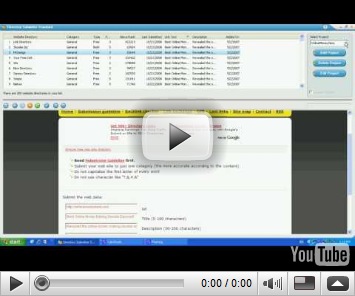
Once you open the program you can see the window looks like this.

Different directories are listed with their Page rank, Alexa rank etc.

On the right side you can see a button “ Add Project”. Click on that

Step C

Now a new window will open, where you had to give a name of your project (you can give any name as this is for persons who want to add more than one blog/site).

Then click “ Next”. Now another page, where you can give your personal details ( this is optional). So move to “Next”, again and you will reach a form where you had to fill

URL of your blog( start with http),

Category ( Put the appropriate Main category of your Blog ),

Sub Category ( Put the appropriate Subcategory of your blog),

Title, Description and Keyword ( give the exact keywords in your Meta Tag of HTML). Then click “Finish”.

Step D

Now double click on any of the Directory name inside the window. You can see the Directory Page get downloaded in the box below. You had to find ‘Submit the Link” button or similar one in that home page of that Directory. When you click on submit the link, then the details entered by you will automatically enter in the Submission form of Directory. Make any changes as you want and you may proceed further.

Different directories have their own style of submitting links.

a. Some of them may Accept links directly in a URL submission box on the front page of the directory

b. In some other,we had to select the Category and finally we can submit our URL

c. Some directories will request you to keep a back link on your blog. This can be done very easily.

Create a new post ( a Link Page) in your Blog with an old date. Then Copy and Paste the link( Reciprocal or Back link) of the Directory in your page and publish the post.

You had to give the URL ( webpage address) of that specific post ( page) in that Directory, before submitting your URL in the Directory. This will help the Directory to check whether you gave the reciprocal link of the Directory in your blog or not.

You can add as many as reciprocal links in that Link Page. Never add the URL of those Directory in your “blog list” or “link list” in the main Page, because this may negatively affect your Page Rank, if you have more outgoing links from your blog.

d. Certain directories gives the addition of a reciprocal link as an option only.

e. In some directories, the server is temporarily unable to accept your submission due to the “Directory site owner” reaching his/her bandwidth limit. In such cases,please try again later.

If you have any doubt, please fell free to ask me.

You may watch this Video for further understandings.

Related Posts:

1. SUBMIT YOUR ARTICLES FOR FREE

2. INDEX YOUR BLOG IN YAHOO IN FIVE MINUTES

3. SUCCESSFULL INDEXING IN SEARCH ENGINES

4. INDEX YOUR BLOG IN GOOLGE IN TEN MINUTES

5. SETUP GOOGLE ANALYTICS IN YOUR BLOG

Blog Widget by LinkWithin