Stop PC Crashes with WinZip System Utilities

Enter your email address:

Showing posts with label ADSENSE. Show all posts

Thursday, December 29, 2011

CHECK GOOGLE OR ADSENSE BANNED YOUR SITE AND DOMAIN

Are you planning to buy a Domain or website. The most important thing you had to check is the status of that website or Domain with Google and Google Adsense. You may use any of the below given tool to determine whether your site, or domain is banned by Google or Adsense.

ADSENSE BANNING

If your site doesn't display Ads from Google Adsense, then use these tools and check whether you got a ban from Google or Google Adsense.

Check whether your site is banned by Google Adsense

Isbanned : www.isbanned.com Go to this tool. Type your domain or website URL and check instantly.

Adsense Sandbox : Click here  This tool is an Google Adsense Preview Tool will display sample Google ads, based on standard AdSense targeting and filtering. When you give a Domain and no sample Ads are displayed, then you may understand that the Domain is under ban from Google Adsense.


Check whether your site is banned by Google

The first easy step to understand whether your site is banned from Google or no, is that type the URL in Google search or Google plus search. If the domain is not appearing, then you may assume that the Domain or the URL you have typed is under ban from Google.

Another tool is iwebtool   A very simple tool that will help to analyze Google search results to detect if your domain name is banned. The conclusion may not be absolutely correct. For example, If the domain has expired, the tool may say the domain is banned when it actually isn't banned but expired.

Ban from Google and Google Adsense

Usually, the sites that are banned by Google will not display Adsense ads. But sites that are banned by Google Adsense, may or may not appear in Google search.

Thursday, September 22, 2011

ADSENSE WITH +1 PLUS ONE BUTTON TO GET MORE REVENUE

Earlier, Google launched +1 button on Google search and for publisher sites to make it easier for readers and users to share and discover content across the web. Adsense will introduce the +1 button and personal recommendations to display ads from next month onwards. As a result, the +1 button will begin to appear on AdSense for Content and AdSense for Mobile Content display ad formats .

Why +1 in Adsense

adsense with google plus one In order to assure the relevancy of the ad,  +1s will determine with greatest role. This will result in generating the most revenue for an Adsense publisher. A lot more coming for Adsense publishers, in which your users will be able to endorse specific ads and make the ads more likely to appear to their social connections. These suggestions could help your readers notice ads and thereby increasing the chance of getting a higher revenue.

What if I don't want +1 button

Simply opt out displaying +1 button from your account.

But remember, More relevant ad display means more income.

Tuesday, August 16, 2011

GOOGLE ADSENSE ADS ARE NOT APPEARING IN MY BLOG

I received one request of review from a friend who shocked seeing that Google Adsense ad in one of his blog is not appearing for last three days. All other four blogs belong to the same login ID of Google Adsense are showing ads properly. After login to his ID, I found that there is one Email from Google Adsense, stating that Adsense Ads are temporarily blocked in a blog (URL given there). The primary reason for such a ban was also given there. “AD MISLABELLING”. So, in this post I would like to explain some of those reasons in which a particular blog is being banned from displaying ads. Please remember that banning a particular blog doesn't means cancellation of an Adsense account. Your Adsense account will still remain active. 

Reasons for ban of a blog from displaying Google Adsense ads

GOOGLE ADSENSE ADS ARE NOT APPEARING IN MY BLOG

Offering any compensation to click Google Adsense Ads

Google may penalize you with a ban if you try to offer compensation or any incentive for clicks on ads.

Misleading labels for the Adsense gadgets or slots that display Adsense Ads.

According to the program policies of Google Adsense, directly or indirectly encouraging users to click Google ads is not allowed. When you are installing a Google Adsense slot, the label of that Ad unit must not be like, "Related links", "Recommended sites", "My favorite sites" or "Latest news"

Misleading directions or statements to clicks

If you have Google Adsense ad in your blog, then avoid using statements like "Feel free to click an ad", "Contribute to the cause”, visit an ad", "Help keep this site running, check out our sponsors", "We need a new server. Support us!" or “Meet our sponsors”. Google Adsense ads are aiming real value visitors because of its Pay Per Click  method of payment.

Bringing Unnatural attention to Google Adsense ad units

Never keep flashy animations that draw a visitor’s eyes to ads , never put arrows or other symbols pointing to Google ads, or never keep images that may look similar to Google Ads are create unnatural attention. 

Placing Ad unit that may lead to accidental clicks

I have seen in some blogs in which the Adsense ad unit is placed so close to the header buttons, play buttons, download buttons, games, drop-down boxes etc. Google Adsense may ban your blog from displaying ads as this may lead to accidental clicks.


More to Read:

Thursday, July 7, 2011

INCREASE EARNINGS ON ADSENSE

Many bloggers email me about the ways to increase the Adsense revenue. As per my experience, Adsense is the best source to create income from blogging and revenue sharing. After trying many other programs, now I am quite happy with Adsense. Initially, the income was very less. But after gaining PR3 and strong support from Google Search Engine, the income increased substantially. The income from Adsense for last month, is given below. I am not claiming that the amount shown below is a high level alternate income. But it is definitely a support to my charity works generated from seven posts per month and some revenue sharing.

 1. Increase Traffic: More traffic gives more clicks, that may produce more revenue from Adsense. So increase traffic to your website by

2. Select best subject for the blog : The subject or niche of the blog must be as popular as possible. Select the niche with high number of Advertisers available.

3. Best Format ad unit of Adsense: My suggestion is skyscrapers, banners or Text/link units in prime areas like header, sidebar etc. Link units can be incorporated where you provide some links related to your blog.

4. Location of ad unit: My opinion is that, the best location of an Adsense ad unit is on the header portion of the blog. Then left or right sidebars. Next preferred location is inside post or below post. Link units can be fixed anywhere.

ADSENSE BEST LOCATIONS

5. Good Design to attract visitors: Text units will provide 3 or 5 ads at a time in the same ad unit, which have an increased probability of click by visitors to any one of them. Banner or skyscraper will display only one ad at a time, but are more attractive to get the immediate attention by a visitor. Link units  are relatively less productive.

6. Use Adsense sharing sites: There are many websites, approved by Google Adsense to share the revenue of your Adsense account. Simply provide your Adsense Id and let them bring the visitors. For example: Indyarocks

7. Choose the best Language: Depend upon your targeted audience and country, select the language. This may give some localized advertisements, which is having pretty high rates.


More to Read:

Wednesday, June 22, 2011

FASTER ADSENSE APPROVAL

Recently I have seen many blogs and sites offering Adsense approval in a quicker and fastest way. Some of my blogging friends asked me about this, whether these sites are providing true service or no. According to my knowledge, Google Adsense never outsourced approval of Adsense application to any other agencies. A real blogger or a real website owner or a real social networking person who is willing to come up with real identity will easily get approval for Adsense application. As I have stated in some of my previous posts, once again mentioning some important points while applying for Adsense approval.

adsense approval

  • Need to have Good traffic to your blog
  • Make a very nice professional look for your website
  • Fill your blog with original contents, related to specific niche
  • Remove all Illegal links to promote other advertisements
  • Make sure that your blog must be in a supported language.
  • Avoid any post that may contain contents that have pornography, adult or mature content, violent content, content related to racial intolerance or advocacy against any individual, group or organization, hacking/cracking content, gambling or casino-related content, illicit drugs and drug paraphernalia content.
  • Delete any posts or advertisements in which you are trying to do the sales of beer or hard alcohol, tobacco or tobacco-related products,prescription drugs , weapons or ammunition (e.g. firearms, firearm components, fighting knives, stun guns),products that are replicas or imitations of designer goods, sales or distribution of coursework or student essays,and any other programs which compensate users for clicking ads or offers, performing searches, surfing websites or reading emails.
  • Give the name of the account, payout name on the cheque as the same name in your valid bank account. This is very essential to clear your cheque upon payment and also much important if Google ask for an address verification.

Remember, real people survives…

More to Read:

Monday, March 21, 2011

INCREASE ADSENSE REVENUE BY INDYAROCKS

Are you a Blogger or website owner looking to give a boost to your Google Adsense earnings? Are you an internet money maker who strictly follows Google Adsense Publisher Guidelines and Policies? Here is another excellent way to share your revenue with indyarocks. Indyarocks is a social networking site, probably the best of its kind to allow social networking people to earn some money. “This program is approved by Google Adsense”

How to earn money from Indyarocks?

CLICK BELOW PICTURE TO GET INDYAROCK ACCOUNTINDYAROCKS

All that you need is an Indyarock account and a Valid Google Adsense ID. (Don’t worry if you don't have an Adsense account. While joining Indyarocks, apply for Adsense also) .

Once you create account,then be eligible for revenue sharing  program, then add your Adsense account, and simply start earning money.

How to make more money from Indyarock account?

  1. Invite as many friends as possible to join you on Indyarocks.
  2. Upload Photos, Videos, Blogs, Classifieds on a regular basis.
  3. Use the  tools available in your Profile page, Photos, Videos, Classifeds and Blogs to promote your content to your friends on Facebook, Orkut, Twitter, Email and Indyarocks.
  4. Keep your profile updated and active.
  5. You can refer your friends to Indyarocks and earn money
  6. Get paid for sharing your favorite YouTube videos with your Indyarocks friends.
  7. Earn Rs. 0.05 for every video that you watch on Indyarocks. (excluding embedded YouTube Videos)

BE CAREFUL:

  • Do not participate in Click Fraud.
  • Never violate rules and regulations of Google Adsense, Youtube, and Indyarocks

More to Read:

Thursday, November 25, 2010

ADSENSE APPROVAL WEBSITES – IS THIS A SCAM TARGETTING BLOGGERS?

Google AdSense is a free program that help online publishers to earn revenue by displaying relevant ads on online content, through websites, blogs, online software, search results etc. Adsense is proved to be a most accurate, simple, trustful program that is now a days biggest financial support for many bloggers, including me. Recently Adsense improved its performance through New Adsense Interface, which is giving more accurate data to analyze visitors and click ratios.

Adsense approval websites -  is it a Fake?

While surfing through internet, I have seen some websites that are offering help or assistance in getting approval for Adsense. I am quite surprised reading the details. As far as I believe, Adsense is a free program for all real and sincere Bloggers or website owners who adhere with the policies of Google Adsense. Me any many of my friends got approval after changing blogs according to the policy guidelines and standards of Google Adsense publishers. Even after getting approval we did verification steps and following all standards of a good Adsense publisher.

This is what surprised me that, some websites claims that they give Adsense accounts upon payment of money or buying some of their products. I feel this is quite impossible. When I search in Google Adsense help forums, I never find such a mentioning that Google allowed somebody to sell or give approval for an Adsense Account. So my readers and all other bloggers, please be careful while selecting such services.

If these services are Fake, then I appeal Google to take strict action on such fake people who are trying to steal money from poor bloggers like us.

My readers, if these services are fake, please don’t hesitate to share this message through all possible mediums like Facebook, Twitter etc.

The pictures of some of such websites are given below. Readers may please contact Google Adsense before trying any of such services by paying money.

Dizinart dotcom

ADSENSE ACCOUNT FAKE SELLING


adsenseg dot com

BUY ADSENSE ACCOUNT


adsensez dot com

GOOGLE ADSENSE

Remember, Google Adsense is a free program open for quality, real and sincere bloggers.

Happy and careful blogging:

More to Read:

Thursday, November 11, 2010

NEW ADSENSE INTERFACE – MORE MONEY FROM ADSENSE

Google Adsense rocking again. Much awaited new Adsense interface will soon be available for all Adsense accounts. The expectations of Adsense publishers since last November, now reaching an excited finishing point. Google Adsense Publishers will see a “Try the new AdSense interface” link appear in the upper corner of their own Google Adsense account. Clicking on that link will bring the new interface. We are very thankful to Google Adsense in providing the new interface that supports Adsense Publishers to make more money out of the program.

ADSENSE NEW INTERFACE Let us check what are the new changes that is going to roll out from this PPC Giant. The new interface primarily focus on

Data analyze and Increased Insights

In new interface, an Adsense publisher can now run even more detailed performance reports by ad type, ad size, ad unit, targeting type, and bid type for total earnings and other metrics, over custom date ranges. The graphs of the data available on the new Performance reports tab. One more important support is that, a publisher can quickly view impressions, clicks, and earnings all in one graph, compare text ad performance to image ad performance, compare date ranges, and easily analyze data to recognize trends.

Control over Running Ads

Till today, an Adsense Publisher have limited control over the ads that run on the blog or website. In this new interface, all ad controls are now in one place, on the Allow and block ads tab. Here, a publisher will be able to filter ads from specific advertisers, categories, and ad networks. This feature will help you to identify potential advertisers and thereby earn more money. 

Updated Ad review center

In the new interface, the ad review center is updated to make it easier to review and manage ads that have been placement-targeted to websites or blogs. This feature will help you to search for ads in the ad review center by ad type, keyword, URL, or ad network, and choose to allow or block them.

Easy Management of an Adsense Account

The new interface allows you to manage an Adsense account  quite easily and quickly by seeing earnings and payment information, find relevant features, and make necessary changes to your account. A help offered without leaving the account to bring other resources, like videos and blog posts, right into the interface.

So never hesitate to click on the button to try new Adsense interface.

Happy Adsensing

More to Read:

Wednesday, July 7, 2010

MAKE MONEY FROM HUBPAGES

Another excellent program approved by Google, Amazon, Ebay to make money by sharing the advertisement revenue. If you have a Google Adsense, or Amazon or Ebay account, then this is an excellent way to earn money with less efforts. Hubpages allows you to automatically display advertisements  on your hubs. Hubpages earns its revenue from these ads, and split the impressions with the writers of hubs. This program is totally free, available in all countries and accurate in payments with integration with Google Analytics to monitor your traffic.

HUBPAGES

How to make a Hub and configure your Hubpage account?

  1. You’ll need to create an account in Hubpages (It only takes a minute or two.)
  2. Add your Adsense publisher ID, Amazon Affiliate ID and E bay ID with your hubpages account in “ Affiliate Settings “
  3. Create a hub by giving a title for your Hub, and add some tags that describe it. ( similar to your blog posts)
  4. Create the content capsules of your choice (Text, photo, products, comments, etc.) and fill them with whatever you’d like.
  5. Publish that content.

Ways to make money from Hubpages

Google automatically displays ads in your Hub that are relevant to your topic. eBay and Amazon products can be featured with in your Hub as per your selection. Hubpages generates great traffic to your hub, and you will get payment according to impressions of advertisements, affiliate sale directly to respective affiliate accounts.

Here is what Hubpages say about their revenue sharing options:                 (Snapped from hubpages on 08/07/2010)

HubPages splits the impressions with you in the following way:

  1. Your own Hubs: Hubbers receive 60% of total impressions.

  2. The HubPages Affiliate Program: You can refer new writers to HubPages and if they become Hubbers within 30 days, you receive an additional 10% of their Hubs’ lifetime impressions.

  3. Traffic Referral Program: If you send traffic to any Hub, you’re entitled to either 9% or 12% of total impressions. You’ll receive 9% if the Hub you’ve referred people to already has impressions allocated to an Affiliate. If there are no Affiliates, you’ll receive 12% of the total impressions.

Whatever is left from the splits above goes to HubPages. Note that these splits apply only to Hubs and User Profile pages. On all other pages, such as a referral to a Tag page or the HubPages home page, you’ll receive 30% on a traffic referral, with HubPages getting the rest.

So now, what are you waiting for?

Join hubpages, configure your account, create hubs and earn money.

More Readings:

Thursday, May 13, 2010

ADSENSE APPLICATION REJECTION ISSUES

Recently my friend Mr Aswani ( www.aksindiblog.com) paid much thanks to our blog for helping him in getting his Adsense account.This made me to post that we did nothing else than providing him some tips to maintain the quality guidelines of a Google  Adsense Publisher. So, here we would like to inform fellow bloggers to adhere strictly to the Google AdSense Program Policies. All bloggers must read an updated Terms and Conditions available from Google. In this post, I will explain some tips that will help you to get through the primary application process of Google. Remember that these are just tips and not final policies. Google may change any of these later in their policies. Please don’t forget to visit the link above to see the Terms and Conditions, every time you apply for Adsense or placing new Adsense slots

FUTURE PERFECT

Google now simplified the application process for those who are using blogger as the platform.Simply login to your Dashboard and Click on Monetize. If you already have an account, then you can easily place your advertisements.Otherwise you can request for a new Adsense account from here.

If you don't have an Adsense account, then apply for a New Adsense account. When you apply for a new Adsense account, then be sure that

  • Your blog must be in a supported language
  • Your blog must not contain contents that have pornography, adult or mature content, violent content, content related to racial intolerance or advocacy against any individual, group or organization, hacking/cracking content, gambling or casino-related content, illicit drugs and drug paraphernalia content
  • You are not trying to do the sales of beer or hard alcohol, tobacco or tobacco-related products,prescription drugs , weapons or ammunition (e.g. firearms, firearm components, fighting knives, stun guns),products that are replicas or imitations of designer goods, sales or distribution of coursework or student essays,and any other programs which compensate users for clicking ads or offers, performing searches, surfing websites or reading emails
  • You are not promoting any other content that is illegal, promotes illegal activity or infringes on the legal rights of others.

While submitting your application, always remember to provide the name on the cheque as the same name in your valid bank account. This is very essential to clear your cheque upon payment and also much essential if Google ask for an address verification. (Please note that any verification process from Google is appreciable because it will help to maintain the trust of Google Adsense in the mind of Advertisers. Yes, this is the space for Genuine people only)

Even though your primary application will be accepted, but it will be under review for few more days. In my experience, I received a reply from Google Adsense that they accept or reject my application within the first week in my email. In my case Google Adsense rejected two times. Every time they clearly provided the reason for rejection and I made necessary changes according to the guidelines.

Common Causes for rejection of Adsense application

  • Applying for a blog that is having less activity
  • Applying for a blog with copied materials
  • Illegal links to promote other advertisements
  • Your blog may not be adhere to the webmaster quality guidelines. 
  • Your blog may not contain a valid Privacy Policy page

Just read the cause of rejection of your application and then make changes accordingly. Always respect the policies and procedures of Google. Never try to make quick money using Google Adsense in an illegal way.

Do your blogging and link building  in natural ways. As time goes, Google will give you good PR and visitors will be more from search engines. More visitors means more chances for getting money.

So, happy Adsensing

Any more questions? Please visit Google Adsense Policies Answers

More Readings:

Friday, January 8, 2010

ADD ADSENSE INSIDE BLOG POSTS


We have options in our Dashboard to keep Adsense  ad unit either in side bar, below or above posts. But we have observed that placing Adsense unit in the post itself will help you to get much topic related advertisements because of the richness of post wise keywords. But placing an Adsense unit in posts, require some editing in your HTML. Here in this post we will explain you how to place an Adsense Adunit in your posts. Simply follow these steps and if you feel any trouble please feel free to ask us.

GET YOUR AD CODE FROM  ADSENSE

Login to your Adsense account, design a new ad unit ( preferably a Text and Link based unit), add channels and select color that matches your posts background. A classic example of preparing Ad unit that matches the layout can be seen here. Click here. Now copy the code of your ad unit.

PARSE YOUR ADSENSE AD CODE

The Adsense unit code which you are obtaining from your Adsense account is in the form of HTML, which need to be parsed before inserting into your blog’s HTML. Parsing is nothing but checks for correct syntax and builds a data structure. There is no harm in parsing an Adsense code before installing.

Visit this CODE CONVERTER TOOL to parse your HTML.You may paste the copied code from your Adsense account into CODE CONVERTER box given there and click on Convert.

Now copy the Parsed Adsense code from that box and keep it for using in the next step.

PASTING PARSED ADSENSE CODE IN HTML OF YOUR BLOG

Log in to your Blogger Account, “DASHBOARD’. Then click on “LAYOUT” and then go to “EDIT HTML”. ( kindly “Download full template” of your current HTML into your computer, as you can bring back your previous HTML incase you make any mistake while editing your HTML).

Now check in the box “ Expand Widget Templates”. Then search and find any of these three codes inside your HTML.

 <div class='post-header-line-1'/>

OR

 <div class='post-header’/>

Once you find any one of these code, then paste the “Parsed Adsense code just below that. Before Save Template, just click on “ Preview”. If your installation is correct, then your blog will appear correctly in the preview and you can see Adsense unit there inside your posts. If your editing have any mistake, then it will show in red colors above the HTML box.

CHANGING ALIGNMENT OF ADSENSE UNIT IN THE POSTS

If you wish to change the alignment of Adsense unit inside post, then please include this code also as the first line in your ‘Parsed Adsense Code” 

&lt;div style=display:block;float:right;margin: 0px 10px 0px 0px;&gt;

Here you can change the alignment as right, left or center by changing the word ‘right’ in the above given code.

Do visit again

Friday, December 11, 2009

GOOGLE AD PLANNER – INCREASE YOUR ADSENSE REVENUE

imageimage 


image

What is Google Ad Planner

For a publisher like us, Google Ad Planner is a tool that help to increase the visibility of our websites, and blogs to potential advertisers in ADSENSE. In Google Ad Planner, there is an option called “Publisher Center” which is considered as the most useful weapon for a publisher, where you can claim sites of your own and customize the descriptions for each sites. In “Publisher center”  you can  add up to five categories that describe your site's content. Also, you can include the types, sizes, and formats of ads that your site supports. These data in Publisher center will help the Advertiser to analyze your site as the best one for advertise.

For an advertiser, Google Ad Planner is a free media planning tool to identify websites that the targeted  audience is likely to visit so that an advertiser  can find the best place to advertise.Google Ad Planner, define audiences by demographics and interests, Search for websites  gives  aggregated statistics on the number of unique visitors, page views, and other data for millions of websites from over 40 countries. It create lists of websites or blogs where an advertiser like to advertise and store them as a media plan.

How to join Google Ad planner

Google Ad planner is free and bloggers may join with their blogger Login Id and password. You will reach a page where you can see “ Research”,  “Media Plan” and '”Publisher center”.

The first two choices are for advertisers and now we will discuss about what an Adsense publisher had to do. Go to “ Publisher Center”. there you can see almost like the picture given below.

image 

Here in this picture, you can see a brick colored portion “ We found verified sites you can include”. Most of the bloggers who had verified their blog with Google Webmaster Tools will receive such a message, Now Click on that and you can see the site name of your blog is available there. Check that and Click Ok. Now details of your blog is displayed there. You may edit the details of your blog here and can change the description, may add up to five Categories and Adsense slot information. Please take care to give all these details in correct manner as the advertiser uses these data for selecting your blog.

If your site is not verified, then just verify it with Webmasters Tools.It is very easy by uploading an HTML file to your web server directory or add a unique meta tag to your homepage. Those bloggers with blogger as their platform may add a unique meta tag to your homepage by going to LAY OUT ---> EDIT HTML in Dash Board.

Installation of Google Verification Meta tag in your blog

This is clearly explained in one of my previous post . All readers had to look into the “ Installation of Google Verification meta tag in your blog” and follow Steps A to Step F. Your verified sites will be available the next time you sign in to Google Ad Planner.

SETUP GOOGLE ANALYTICS IN YOUR SITE

While giving your details of your blog, you should add the Google Analytic data also in the Publisher center. This will help the Advertiser to analyze the importance of your blog or site.  Those who have not yet started using Google Analytics, may visit one of my previous posts and add it at the earliest. Read '” Setup Google Analytics in your Site” and “ Add Google Analytic tracking Code to your blog ”.

Benefits of Google Ad Planner

More valid targeting:

Targeting of Advertisers by Publishers and Publishers by advertisers. Potential advertisers are never away from us.

Display an Ad Planner badge

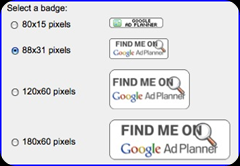
Never forget to display a  Google Ad Planner Badge in your blog or website. Advertisers who click your badge will be brought directly to your Google Ad Planner site profile, where they'll find your traffic, demographics, and advertising information.
  1. Claim your site. Then Sign in to Google Ad Planner , then Click the Publisher tab. Edit “site Information”. Scroll down to see Site Badge.
  2. Select a badge size and style of your choice. Copy the badge code in the box, then paste the code in your site or blog.
image

Claim your sub domains

You can now add sub domains, in Google Ad Planner and advertisers receive a more detailed view of your site for their media planning.

Google Analytics providing additional support

Sharing Google Analytics data is the most worth thing a publisher can do because all advertisers believe in these data than any other data given in your blog. You can share your page views, unique visitors, total visits, average visits per visitor, and average time on site, and all data on Google Analytics, which ensures potential advertisers can collect the exact information of your site or blog.

Based on this information, agencies and advertisers using Ad Planner to identify appropriate sites related to their targeted customers,  to include in their placement-targeted campaigns. When more advertisers come to know about  your sites and bid to show ads on them, the competition among your ads will increase. This will steeply increase the Adsense earning potential.

VIEW THE VIDEO REPRESENTATION OF GOOGLE AD PLANNER


Related Posts

Thursday, December 10, 2009

SEND YOUR PRODUCT IDEAS TO GOOGLE ADSENSE

Adsense is the most  popular PPC program among all bloggers due to its consistency, regular follow up, multiple options and customer support. Google is known to be recording and analyzing all sort of customer feedback. Even if it s a small blogger like me and you, they are hearing each word from us. According to my experience, Google consider their customers as KING. Adsense have been working on building features based on customer’s feedback both from advertisers and publishers.

Capture (4)Here is a chance for you to  tell Adsense about what's on your AdSense wish list for 2010. What features or product updates you would you like to see? You can submit  an idea for a brand new feature or just a small tweak that would simplify our work flow. We have heard many suggestions from many bloggers through these blogging days. Now its time for you to send those idea drops to Adsense and they will make it true.

Any blogger interested, may please sign in with your Google Account and submit your suggestion at the earliest in this .You can also look through all submitted ideas and vote on the ones you like.

Adsense will consider all top voted ideas and bring them to the AdSense Product Management team for review. This Ideas page will run through December 15, 2009 , so hurry up.

3,230 people have submitted 537 ideas and cast 30,907 votes till now. May be your idea can give a heavenly boost to all Adsense publishers and advertisers.

All the Best

BV team

Related Posts

Wednesday, August 19, 2009

CREATE GOOGLE ADSENSE PRIVACY POLICY FOR YOUR BLOG

Google Adsense has updated their policies and bloggers or webmasters who places Adsense ads on their websites is required to have a “Privacy Policy” page. According to Google Adsense policy, AdSense publishers must have and abide by a privacy policy that third parties may be placing and reading cookies on your users' browsers, or using web beacons to collect information as a result of ad serving on your website.

fghf This “Privacy Policy” should contain the following information


  • Google, as a third party vendor, uses cookies in connection with your browser to serve ads on your site.
  • Google's use of the DART cookie enables it and its partners to serve ads to your users based on their visit to your sites and/or other sites on the Internet.
  • You may opt out of the use of the DART cookie. If you are not opting out of third-party ad serving, the cookies of other third-party vendors may also be used to serve ads on your site, and this also should be disclosed in your privacy policy.

Just see what Google says about this policy

"You must have and abide by an appropriate privacy policy that clearly discloses that third parties may be placing and reading cookies on your user’s browser, or using web beacons to collect information, in the course of ads being served on your website. Your privacy policy should also include information about user options for cookie management."

For further understanding :

CONFUSED?????

Here is a quick easy way to create a “Privacy Policy “ page for your blog or website.

  1. Click here to generate a “Privacy policy “ page. “SERP.COM”
  2. Fill out all the information on that page including,
    • Your site URL and your e-mail address
    • If you use cookies, choose it
    • Check  Google Adsense
    • Click "Create my Privacy Policy"
  3. Copy that generated privacy policy and publish it as a New Post  on your blog.Change the date of the post back to the current date, so that it will not be visible on the first page.
  4. Then, make a link from your front page of the blog to this Privacy Policy.This can easily be done by giving link of this Privacy Policy page on your “Blog link” widget or “Blog roll” widget.

That's all , done. HAPPY ADSENSING

Tuesday, March 31, 2009

ADSENSE SIMILAR PROGRAMS

Here I am trying to give some idea about certain programs that could help you to get money. These are very useful and I am not recommending them, instead you had to use and find the best. If you have multiple websites then you can try each one. This article is for further reading on making money online Click here
Some of them are known as a substitute for Adsense


Adgenta
AdKnowledge
Amazon Associates website.
AVN Ads


BIDVERTISER


Blog Ads
BlogHer Ads
BrightAds from Kanoodle
Casale Media
Chitika's eMiniMalls

CLICKSENSE

Clicksor
CrispAds
DoubleClick
Fastclick
Google AdSense
Industry Brains
IntelliTXT
Kontera
OneMonkey
Peak Click
Pheedo
RevenuePilot
SearchFeed
SellingPPP
Text Link Ads
Text Link Brokers
Tribal Fusion
Value Click
YesAdvertising

Blog Widget by LinkWithin