Stop PC Crashes with WinZip System Utilities

Enter your email address:

Showing posts with label FREE DOWNLOADS. Show all posts

Thursday, November 18, 2010

GOOGLE SEO GUIDE – EVERYTHING A BLOGGER WANTS TO OPTIMIZE A BLOG

Did you download the new Google SEO Guide, that is an updated version of Google SEO guide, published two years ago. This time, Google provided the new version of the guide with more content and examples. The new stuff include Glossary to define terms throughout the guide, More example images to help you understand the content , Ways to optimize your site for mobile devices, and clearer wording for better readability.

I suggest all beginner bloggers, to read this book before they decide to hire any company for Search engine optimization. So, whenever you think about improving your website or blog, description meta tags, URL structure, site navigation, content creation, please read this Guide.

This guide is now available in many languages such as Arabic, Bulgarian, Catalan, Chinese (Simplified), Chinese (Traditional), Croatian, Czech, Danish, Dutch, English, English (GB), Filipino, Finnish, French, German, Greek, Hebrew, Hindi, Hungarian, Indonesian, Italian, Japanese, Korean, Latvian, Lithuanian, Norwegian, Polish, Portuguese (BR), Portuguese (PT), Romanian, Russian, Serbian, Slovak, Slovenian, Spanish, Swedish, Thai, Turkish, Ukrainian, and Vietnamese.

You can download the new version here in PDF.

So, improve your blogging with this marvelous guide.

More to read while you blog:

Sunday, September 19, 2010

MARKET BHAVISHYA FORMULA FOR TRADING IN STOCK MARKET

The website marketbhavishya.com was very popular in India, and Singapore especially during the financial turmoil in 2008 – 2009. Marketbhavishya was very accurate in finding the trading levels in various stock market including BSE, NSE and SGX. Mraketbhavishya stunned everyone with some outstanding support  and resistance level prediction. Here in this post we are bringing you the formula for support and resistance that will help you to find levels in stock markets.

This formula is in Excel sheet which is very easy for you to enter the current levels and find the next support and resistance levels in stock market trading. Fellow bloggers, kindly excuse us in writing this off-topic post.

image

DOWNLOAD THE FORMULA FOR SUPPORT AND RESISTANCE LEVELS IN MICROSFT EXCEL FOR FREE---- JUST CLICK HERE

If you have any doubt, please feel free to ask by commenting here or using out Contact Us form. Also, if you have any sort of new working formulas, please send us. We will publish with your name and photo.

This formula is for finding out Crucial levels, Support levels, Resistance levels of stocks for a trading day. Everyday evening you should update it. Calculate this formula once the market is closed. These levels are applicable for the next day trading. Consider all end values as positive values. We have received opinions from some readers that this formula can be used during trading also. Waiting to hear more success stories about that.

Thanks for reading marketbhavishya

More to make money:

Friday, April 30, 2010

AUTOMATIC FREE BLOG PUBLISHING SOFTWARE

Many bloggers email me about any best automatic blog publishing software available in internet. In this post, I will give small details of some of the popular automatic blogging software which me and my friends have used at least once. You may try any one of this and automate your blog publishing. Select any one of these software and download to your computer. Please be careful that you have a valid antivirus with you. Most of these software work with adding the blog account for automatic publishing. In this case, an antivirus can protect your account details from hackers.

( All links checked on 30/04/2010)

FREE BLOG PUBLISHING ScribeFire – Download and install this plugin for your Google Chrome browser and Mozilla Firefox. You can install it quite easily and easy draft options. I am using this for quick uploading of blog posts.

Windows Live writer – Download this software and install in your computer. You can publish posts to many blogs from single platform , easy alignment of blog posts, videos posting, picture formatting facilities, easy linking  options and much more.I am using this as my automatic blogging tool.

BlogDesk – Download another free automatic blog publishing software that is optimized for the blogging platforms like  WordPress, MovableType, Drupal, Serendipity and Expression Engine.

W.bloggar – View and Download this Post and Template editor, with several features and resources that is compatible with most of the weblog systems I have not yet tried this software. But my friends said good opinion about this.

There are many other software also available in internet. If you have good experience about any other software, kindly let us know so that we can include it in the next post.

Further Reading

Thursday, February 4, 2010

21 FREE USEFUL DOWNLOADS FOR BLOGGERS

I would like to share some useful downloads for bloggers. These downloads are collected from different sources and checked the links on 03/02/2010.Kindly download all these and spend some time to read. This will definitely improve your blogging experience. All my readers kindly give me the feed back about these downloads. If you have any suggestion about such a new useful download, please let us know. Also, any advertisers of E-books, please contact us using Contact Us form on top.

  1. GOOGLE GUIDE FOR SEARCH ENGINE OPTIMISATION          Download - This guide is very useful for new bloggers and webmasters that are new to the topic of search engine optimization who wish to improve their sites' interaction with visitors and search engines. This can be considered as one of the best E-book for beginners.
  2. ENTRECARD’S OFFICIAL E-BOOK:                                              Download - An E-Book that everyone who participates in Entrecard should read. It covers a lot of the ins and outs and nuances of the service. A very useful guide for any bloggers who join in Entrecard. (How to increase visitors using Entrecard- Click here)
  3. TWITTER101                                                                                  Download - A free download that clearly explains the value of Twitter to businesses. You can download the PDF directly from this link.
  4. DEEP SECRETS OF SUCCESSFULL BLOGGING - learn from 30 experts                                                                                             Download - This free book clearly depicts the experience of 30 successful bloggers around the world. A real guide for successful blogging.
  5. WHY BLOG + 25 TIPS TO MAKE IT WORK                                Download - As the title indicates, a pdf file to make blogging so cool and effective.Read this 25 tips and see how effective in your blogging days
  6. SEARCH ENGINE OPTIMISATION E-BOOK                                Download - This free e-book by Craig Killick about small business website optimization or search engine optimization that describes : What search engines want?, Two Elements of Good SEO, Optimizing Your Web site, Creating effective web pages, Descriptive linking and navigation, Referrals, Getting links, Quality Content, How to create content and Example of content.
  7. GOOGLE ADWORDS MADE EASY                                                    Download -  A beautiful E-book on Google Adwords, by BradCallen
  8. GOOGLE ADWORDS AND YAHOO PPC TIPS                                Download - This e-book basically is an excerpt of an Aaron Matthew Wall’s Search Engine Optimization Book. Aaron pick one chapter, “Pay Per Click”, and gives it away to visitors.
  9. GETTING STARTED WITH GOOGLE ADSENSE                           Download - This e-book is split into an introduction and 7 lessons, to make it easier to know more about Adsense.
  10. 100 TIPS FOR DOING BUSINESS ONLINE                                      Download - Poor Richard’s Top 100 Tips for Doing Business Online contains tips for: Improving your Web site design and content, Attracting more visitors to your Web site, Using other people’s Web sites and ezines to promote your site and Measuring your results.
  11. NEW RULES OF VIRAL MARKETING                                              Download – This e-book explains about viral marketing and how word-of-mouse spreads your ideas for free. This has been downloaded more than 300,000 times in one year.
  12. SOCIAL WEB ANALYTICS                                                                 DownloadThis book gives  a nice idea about Social web
  13. PROMOTE YOURSELF WITH TWITTER                                       Download – This E-book helps ebook to use Twitter to promote yourself. This e-book contains lots of useful information, tools etc that help your tweet a different style.
  14. EVERYONE’S AN EXPERT                                                                 Download - This e-book explains how to use Squidoo to bring traffic to your blog and various other techniques.
  15. THE ZEN OF BLOGGING                                                                   Download – A worthy e-book that explains much about topics from choosing the blog niche to Monetizing your blog
  16. INCREASE THE RESPONSE TO YOUR EMAIL MARKETING PROGRAM                                                                                          Download – This e-book is a guide to develop successful B2B Email marketing success.
  17. FLIPPING THE FUNNEL                                                                  Download – This e-book describes, how to be a successful social media blogger.
  18. MAKE MONEY ONLINE WITH JOHN CHOW                                  Download – This e-book is an excellent one from internet celebrity, John Chow that describes different ways to extract money from your internet.
  19. WEBSTYLE GUIDE 3rd EDITION                                                    Download – An excellent online guide,to page design, typography, editorial style, graphics, and multimedia. There are sections on web site accessibility, CSS, and flexible page design, information architecture, and site maintenance, coupled with illustrations and examples.
  20. UNLEASHING THE IDEA VIRUS                                                      Download – This e-book explains viral marketing  by marketing guru Seth Godin. He explains why ideas matter, and reveals the secrets on how to unleash an idea virus.
  21. NEW RULES OF BUSINESS BLOGS                                                  Download – An e-book that depicts some useful tips about how to develop a business blog. A must read for bloggers.

“HOPES THAT ALL READERS LOVE THESE DOWNLOADS. IF YOU LIKE TO GET MORE, ENTER YOUR EMAIL HERE IN THE FORM GIVEN BELOW”

Enter your email address:

Get moreE-books

Thank you for reading.

Friday, January 1, 2010

ADD TOP COMMENTATORS WIDGET IN BLOG

people2


There is no need to explain about the Power of Comments. Every comment helps not only the commentator, but also the blog owner. Commenting and getting comments back is a powerful tool in SEO.Being a blog owner, its our duty to find who is “commenting” more and then giving much respect for them. Here we are giving you code for creating a “TOP COMMENTATOR WIDGET” from last 10000 comments. After our posts on  "Automatic link exchange using Comments" and "Add recent comments widgets in Blog", here is the one most demanded by fellow readers.

Comments with a link back to a website or blog will definitely noticed by Search Engines and will help to boost  your Page Rank . So Always remember the “Power of Comments” and  try to give respect to commentators on your blog.

Benefits of  adding a “TOP COMMENTATOR” widget

image This widget will help the blogger to find who is commenting more on the blog and it is easy for bloggers to give some reward back to the top commentator

This widget will display 10 top commentators from your previous 10000 comments posts with date, full structure of comment and title of the post.

This widget will give a data that help readers to know which blogger is really serious in giving comments.If you usually receive good comments, then installing this Widget is an excellent way of announcing that who is your favorite commentator.

HOW TO INSTALL “TOP COMMENTATOR WIDGET”

STEP A:

Log in to your “DASHBOARD’. Then click on “LAYOUT” and then go to “PAGE ELEMENTS”. Click on “ ADD A GADGET”. Select “HTML/JAVASCRIPT”. Now go to Step B to copy and paste the below given code in that box.

Step B :

Copy and paste the code given below in red colors from <a to </a>(copy all below given code from the CODE BOX ). Please take care not to make any changes as this is based on Yahoo Pipes. We are able to block the script if you make any unnecessary changes.

<a href="http://businessvartha.blogspot.com"/>TOP COMMENTATORS</a><script type="text/javascript"> function pipeCallback(obj) { document.write('<ol>'); var i; for (i = 0; i < obj.count ; i++) { var href = "'" + obj.value.items[i].link + "'"; if(obj.value.items[i].link == "") var item ="<li>" + obj.value.items[i].title + "</li>"; else var item = "<li>" + "<a href=" + href + ">" + obj.value.items[i].title + "</a> </li>"; document.write(item); } document.write('</ol>'); } </script> <script src=http://pipes.yahoo.com/pipes/pipe.run?_render=json&_callback=pipeCallback&_id=5b5c04d031846259527a35e2ae529fef
&url=http://YOURBLOGURL.blogspot.com&num=10&filter=
XXXXX” type="text/javascript"></script> <a href="http://businessvartha.blogspot.com/2010/01/add-top-commentators-widget-in-blog.html"/><span style="font-size: 70%">Grab this Widget</span></a>


Then you had to Edit a little. As you can see some blue letters in the above given Code  “YOURBLOGURL.blogspot.com”. Change that with the URL of your blog or URL of your website. Now you can see another part in this code with blue lettersXXXXX”. Here you may give your name, ie the name which you use to comment back in  your own comment box. This will filter TOP COMMENTATORS from your own comments.

Now “SAVE”. The “TOP COMMENTATOR WIDGET” will appear on your blog, showing who is the top commentator in your blog.

Thursday, December 31, 2009

INSTANT VISITOR INCREASE USING ENTRECARD


     In our previous post, we gave a mention about using Entrecard. After that, we received more than 100 emails and enquiries about Entrecard and how to use it more effectively. Here in this post we will describe, how to generate free instant traffic to your blog using Entrecard.

WHAT IS ENTRECARD?

Entrecard is a program that allows a blog owner to advertise his blog and keep some advertisements in his blog. This program promotes, “blog walking” through their widget and help you network with other users, increase traffic to your site, earn EC (Entrecard Credits), and free advertise on other sites.

HOW TO JOIN ENTRECARD?

This is absolutely free program to Join. Click here to join  ENTRECARD. You should give “Valid Email Address”, “Category”, “Entrecard Style” ( you can upload a picture 125x125 or just select any default styles), “Blog URL”, and other details as required. Then Grab the code for “Entrecard Widget “ for your blog. After copying the code, Login to your “Blogger Account”,”Dashboard”, “Layout”, “Add A Gadget” and paste the Code and Save. Now the Entrecard Widget will appear on your blog. Your blog has now been submitted to Entrecard moderation team for approval. You will receive an email once your blog has been reviewed and approved.

It has been observed that, rarely your Entrecard Widgets are not scanned properly by Entrecard Automatic scanners. This will delay the approval of your blog and advertisements will not appear in your blog. Simply login to Entrecard, “ Dashboard”. Then you can request again for a scanning of the presence of Entrecard widget on your blog. When the scanner detects widget in your blog, then advertisements will start appearing on your blog.

HOW TO GENERATE TRAFFIC USING ENTRECARD.

METHOD ONE :

Learn Blog Walk: Once the Entrecard widget on your blog start showing advertisements, login to your Entrecard account, and in the Dashboard, where you can see “Drops inbox”.  Click on that, to see different blogs (date wise arranged) who visited your blog and “dropped “ you. Now a click on any of those will take you to that blog. Find the Entrecard Gadget in that blog. You can see a small tab called “Drop” where you had to click. Now it will return as “Thanks”. This means you will be in the “Drops inbox” of that blogger and whenever that blogger looks into the ‘Drop inbox”, will see your blog. This process is called Blog walk and automatically prompting bloggers to visit back their visitors. This process also will help you to earn more EC ( Entrecard Credits)

METHOD TWO :

Buy Advertisements for Free: Once you earn Entrecard Credits, then you can utilize those credits to display an advertisement of your blog in another blog. Login to Entrecard, go to “Dashboard” and then to “Campaign”. Here you can find blogs based upon category, popular, cheap or random. By searching here, to find a blog where you can advertise is quite easy. Here you can see our blog appearing in this Campaign. From this you can understand that if you want to advertisement in my blog, then you had to wait for 5 days and when you advertise on my blog, 32 EC will be deducted from your EC account. This EC will be credited in my account. Once you select a blog of your choice, simple click on “Advertise” tab as seen in this picture. Advertisement of your blog will come on that blog automatically on due date. Those bloggers who visit the blog that shows your advertisement will see your advertisement resulting in more visitors to your blog. So while preparing advertisements, use good pictures in your Widget to represent your blog.

HOW TO EARN MORE ENTRECARD CREDITS (EC)
  1. Earn Credits for dropping cards : Blog walking will help you to earn EC. Find blogs of your choice from the campaign and simply walk through blogs.
  2. Advertising price : Let others apply for display advertisements in your blog. When there is more queue of applicants, then  your EC rate also will go high.
  3. Referral Program : Try to keep a widget in your blog to attract referrals. The referral banner codes are available in Dashboard . You can earn 300 Entrecard credits for each new users you referred to Entrecard that resulted in a sign up
  4. Selling items in the Marketplace : This depend upon various offers, up to you to participate or not.
  5. Contests : You may earn credits buy participating in contests
  6. Buying Credits : You can buy credits directly from Entrecard by payments

CAUTION WHILE APPLYING FOR ENTRECARD

Care should be taken that your blog meets the “ Quality Standards” of Entrecard. Simple Rules of joining:

  1. No nudity in participating blogs
  2. English only blogs
  3. Minimum 5 posts must be present in the blog
  4. Content must be original
  5. No full-screen ads or popup 
  6. No illegal file downloads from your blog
  7. Entrecard widget must be present in your blog
  8. Redirects URL such as tinyurl, linkbee etc are not allowed
  9. No duplicate accounts allowed
  10. URLs must be valid and should land in valid page
  11. No auto playing audio allowed in participating blogs
  12. Content must be recent in last 3 months

Hopes that all my readers got a basic idea about Entrecard. Don’t forget to collect the official E-book after joining Entrecard. Any doubts, feel free to comment.

Thursday, November 5, 2009

ADD MUSIC TO YOUR BLOG OR WEBSITE

Music is a part of most bloggers life. Think about the peaceful mind while hearing good music, especially while blogging. Even now, I am hearing, “ Show me the meaning – Backstreet Boys ” which gives a lot of peace in my mind. I'm not talking about any external players to hear the music i like. But I'm introducing “ iLike”. One of the most beautiful application for bloggers.

How to add music or soundtrack to your blog or websiteimage

    iLike is a service that helps you to organize, share, and discover your favorite music through your blog or website. It is very simple to add iLike to your blogger. Click on this pictureimage to reach the page of adding an embedded player in your blogger blog or website. 

After you reach the page, Name your Playlist, Add songs and Organize. Then click on “ Done”. After clicking you will reach a page where you can see the tab  “ Add to blogger “. Click on that , you will reach login of Blogger. There is nothing to worry in login through this way, because this service is approved by Google.

The Widget will  now ask your permission to get embedded in your Layout. Click on “ Add Widget ” and later you can change its position by going to your “ Dashboard” and then to  “ Layout”.

Stay with iLike, because more applications on this widget will be launched soon, like……

  • 1-click posting to other web sites
  • 1-click sharing by email
  • Easy customization of fonts, colors and styles


Additional Features of ILike ( Not necessary for a blogger )


  • Download the iLike Sidebar for your PC
    • You can feel concert alerts and new music from your favorite artists
    • You can enjoy Free MP3s from new artists who match your tastes
    • You may share your playlists on any Web page or on Facebook


  • iLike  have developer platform for music, partners include Google, Evite, Slide, Flixster
  • iLike have Full-Song Playback on Facebook; Chosen by Facebook as a "Great App"
  • iLike have  iPhone Apps for Artists and Integrates With Twitter, and YouTube


Related Posts

Wednesday, August 19, 2009

CREATE GOOGLE ADSENSE PRIVACY POLICY FOR YOUR BLOG

Google Adsense has updated their policies and bloggers or webmasters who places Adsense ads on their websites is required to have a “Privacy Policy” page. According to Google Adsense policy, AdSense publishers must have and abide by a privacy policy that third parties may be placing and reading cookies on your users' browsers, or using web beacons to collect information as a result of ad serving on your website.

fghf This “Privacy Policy” should contain the following information


  • Google, as a third party vendor, uses cookies in connection with your browser to serve ads on your site.
  • Google's use of the DART cookie enables it and its partners to serve ads to your users based on their visit to your sites and/or other sites on the Internet.
  • You may opt out of the use of the DART cookie. If you are not opting out of third-party ad serving, the cookies of other third-party vendors may also be used to serve ads on your site, and this also should be disclosed in your privacy policy.

Just see what Google says about this policy

"You must have and abide by an appropriate privacy policy that clearly discloses that third parties may be placing and reading cookies on your user’s browser, or using web beacons to collect information, in the course of ads being served on your website. Your privacy policy should also include information about user options for cookie management."

For further understanding :

CONFUSED?????

Here is a quick easy way to create a “Privacy Policy “ page for your blog or website.

  1. Click here to generate a “Privacy policy “ page. “SERP.COM
  2. Fill out all the information on that page including,
    • Your site URL and your e-mail address
    • If you use cookies, choose it
    • Check  Google Adsense
    • Click "Create my Privacy Policy"
  3. Copy that generated privacy policy and publish it as a New Post  on your blog.Change the date of the post back to the current date, so that it will not be visible on the first page.
  4. Then, make a link from your front page of the blog to this Privacy Policy.This can easily be done by giving link of this Privacy Policy page on your “Blog link” widget or “Blog roll” widget.

That's all , done. HAPPY ADSENSING

Monday, June 29, 2009

SUBMIT YOUR ARTICLES FOR FREE

I am so happy to tell you that I have found a software that will help all of us to submit our articles to various online directories. Please remember that submitting an article with a link back to our own blog is an important step in obtaining higher Page Rank. Another beautiful Search engine Optimization technique. Be cool, read this article and try the software, absolutely free of charge.

Tips to remember while submitting articles

  1. Always try to make quality links by submitting your articles to the top article directories, with category that matches your topic.
  2. You must take care not to publish articles exactly the same that you publish on your own website.This will help you to avoid the duplicate content penalty.First of all, publish the article on your website, and wait till it is indexed by the major search engines. Then you may start submitting it to the article directories.Now, you may start using the below given software by submitting your old articles.
  3. You can try another method of submitting a part of the full article published in your blog, to the article directories. This also will help to avoid duplicate content penalty.
  4. You may contact the owners of these article directories and offer them that you will write a unique article for their website. In those articles you may include a deep link ( a text link to your inner pages or specific articles )
  5. After several article submissions, you can see a jump in your Page Rank. The  links you made by article submission created all the difference, and now your site is starting to get higher search engine placement.

Here I will introduce a software that can do the job quite easily and quickly for you.

Advantages of “Article Submitter” Free Edition

1. Submit your articles in your blog to many article directories absolutely free

2. Easy installation and execution

3. We can select the best directories depend upon the Ranking

4. One click submission and you can add as many articles ,  and submit individually

5. Easy access of Directory main page down to the Software itself.

6. Improvement in Page Rank quickly

How to Use “ Article Submitter”

Step A

Click here to DOWNLOAD free copy of “ Article Submitter” . Just put your First name, Email address ( don’t give your primary email in order to avoid spams. Instead, give an active less using email ) and Register. Now you have nothing to do in that Page, just view the ads and decide whether you need that products or not. Then check your email and you will get a link to download it absolutely free of charge.

Double click on the file to Install it in your computer. Open the program after Installation

Step B
serd

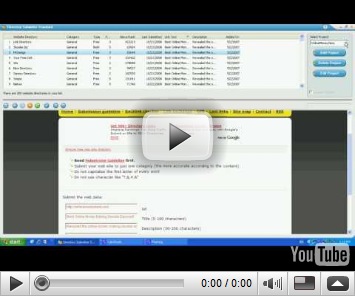
Once you open the program you can see the window looks like this. Different Article directories are listed with their Page rank, Alexa rank, HTML can be added in the article or not, Login required or not, login added or not,  etc.

On the right side you can see a button “ Add Article”. Click on that

Step C

Now a new window will open, where you had to give Article Title, Article Subtitle, Category, Subcategory, Article URL and a short bio. Then you may add Resources, Article Body etc. Then Click OK.

Next, Double click on the Article directory name in the list and you can see the Directory home page . The software will fill the details automatically and if any required , you can fill within few seconds.

Once the submission is successfully done, then it will take some days to get listed in the article directory.

Some Article directories require login which you can do by Creating an Account in that directory, free of cost with a valid email. The positive action from this software is that, it will show whether the Article Directory needs Login, or not.

Please view this Video for further understanding:

Related Posts:

1. SUBMIT A BLOG TO FREE ONLINE DIRECTORIES

2. SUCCESSFULL INDEXING IN SEARCH ENGINES

3. INDEX YOUR BLOG IN GOOLGE IN TEN MINUTES

4. INDEX YOUR BLOG IN YAHOO IN FIVE MINUTES

Tuesday, June 23, 2009

SUBMIT A BLOG TO FREE ONLINE DIRECTORIES

Capture All of my distinguished readers should remember that submitting your blog / website to online Directories will improve the Page Rank of your blog/site. Achieving a higher Page Rank is a dream of every blogger/website owner. If the Page Rank is higher, then your blog will appear on top of the search engine results. Thus more visitors will come to your blog. Oh..you have started dreaming about huge traffic….

Be happy, read this article and try the software, absolutely free of charge. You can list your blog/website in 350 free online directories very quickly.

Free submission of blog or website to 350 online directories

I jumped with ecstasy when i got an email from Mr.. Brad Callen, announcing that his famous “Directory submitter” software has a Standard edition which is now absolutely free of charge.

Benefits of “Directory Submitter” Free Standard Edition

1. Submit your blog to 350 online directories absolutely free

2. Easy installation and execution

3. We can select the best directories depend upon the Ranking

4. One click submission

5. You can add different blogs, as separate “projects” and submit individually

6. Easy access of Directory main page down to the Software itself.

7. Improvement in Page Rank quickly

8. Option of upgrading the software and get submitted to more directories

How to Use “ Directory Submitter”

Step A

Click here to DOWNLOAD free copy of “ Directory Submitter” . Just put your First name, Email address ( don’t give your primary email in order to avoid spams. Instead, give an active less using email ) and Register. Now you have nothing to do in that Page, just view the ads and decide whether you need that products or not. Then you check your email and you will get a link to download it absolutely free of charge.

Double click on the file to Install it in your computer. Open the program after Installation

Step B

1

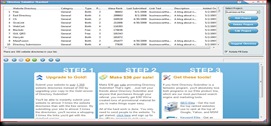
Once you open the program you can see the window looks like this.

Different directories are listed with their Page rank, Alexa rank etc.

On the right side you can see a button “ Add Project”. Click on that

Step C

Now a new window will open, where you had to give a name of your project (you can give any name as this is for persons who want to add more than one blog/site).

Then click “ Next”. Now another page, where you can give your personal details ( this is optional). So move to “Next”, again and you will reach a form where you had to fill

URL of your blog( start with http),

Category ( Put the appropriate Main category of your Blog ),

Sub Category ( Put the appropriate Subcategory of your blog),

Title, Description and Keyword ( give the exact keywords in your Meta Tag of HTML). Then click “Finish”.

Step D

Now double click on any of the Directory name inside the window. You can see the Directory Page get downloaded in the box below. You had to find ‘Submit the Link” button or similar one in that home page of that Directory. When you click on submit the link, then the details entered by you will automatically enter in the Submission form of Directory. Make any changes as you want and you may proceed further.

Different directories have their own style of submitting links.

a. Some of them may Accept links directly in a URL submission box on the front page of the directory

b. In some other,we had to select the Category and finally we can submit our URL

c. Some directories will request you to keep a back link on your blog. This can be done very easily.

Create a new post ( a Link Page) in your Blog with an old date. Then Copy and Paste the link( Reciprocal or Back link) of the Directory in your page and publish the post.

You had to give the URL ( webpage address) of that specific post ( page) in that Directory, before submitting your URL in the Directory. This will help the Directory to check whether you gave the reciprocal link of the Directory in your blog or not.

You can add as many as reciprocal links in that Link Page. Never add the URL of those Directory in your “blog list” or “link list” in the main Page, because this may negatively affect your Page Rank, if you have more outgoing links from your blog.

d. Certain directories gives the addition of a reciprocal link as an option only.

e. In some directories, the server is temporarily unable to accept your submission due to the “Directory site owner” reaching his/her bandwidth limit. In such cases,please try again later.

If you have any doubt, please fell free to ask me.

You may watch this Video for further understandings.

Related Posts:

1. SUBMIT YOUR ARTICLES FOR FREE

2. INDEX YOUR BLOG IN YAHOO IN FIVE MINUTES

3. SUCCESSFULL INDEXING IN SEARCH ENGINES

4. INDEX YOUR BLOG IN GOOLGE IN TEN MINUTES

5. SETUP GOOGLE ANALYTICS IN YOUR BLOG

Friday, June 19, 2009

TWITTER DESKTOP SOFTWARES

             Many of my friends struggling to make their Twitter Account live and effective. Most of them do not have enough time  to Visit twitter account, then looking Direct Messages, then Retweet, make new shortened URL, new Posts etc. Huh….too much work…

I have a solution for all these problems.Here I am introducing two softwares ( Twhirl and Tweetdeck )  that you may  download to your computer desktop, install it and start using Twitter like your Yahoo/Google Messengers.

Readers may please try both of them and fix the best one for you. I am personally using TweetDeck due to its multiple facilities.

Also note that, you may need to download Adobe AIR platform ( if it is not available in your computer), for both to work properly. Twhirl automatically downloads Adobe Air.

How to make easy Tweets using softwares

What is “Twhirl”?

sedr

Twhirl is a social software desktop software, based on the Adobe AIR platform.


Features of Twhirl( as described by Twhirl)

  • Twhirl connects to Twitter, laconi.ca, Friendfeed and Seesmic accounts
  • Twhirl displays notifications for new messages
  • Twhirl shorten long URLs (using digg.com, bit.ly, snurl, twurl or is.gd)
  • Twhirl cross-post your updates to Jaiku and many other sites like Facebook, MySpace, LinkedIn and more via Ping.fm
  • Twhirl post images to TwitPic
  • Twhirl search tweets using Twitter Search and TweetScan, and follow topics in near-real time with saved searches
  • Twhirl automatically find tweets mentioning your @username
  • Twhirl record a video on Seesmic, and share it on twitter immediately
  • Twhirl get your seesmic updates in real-time using XMPP
  • Twihrl applies english spell checking also
  • CLICK HERE TO GET YOUR COPY
  • Capture

What is “TweetDeck”?

twtdecj

TweetDeck is a personal browser for staying in touch with what’s happening now, connecting you with your contacts across Twitter, Facebook and more. TweetDeck shows you everything you want to see at once, so you can stay organized and up to date.

Features of TweetDeck ( as described by TweetDeck)

  • You can Tweet from your mobile Phonesded
  • Tweet directly from TweetDeck and share photos or web links
  • Manage conversations with @replies and direct messages
  • Create Groups to easily follow friends, colleagues or other interest groups
  • Keep a finger on the pulse with Twitscoop and local trends.
  • Follow topics in real-time with saved searches
  • Update Facebook and view your friends’ status updates
  • Preview short URLs from the comfort of TweetDeck
  • Manage multiple Twitter accounts easily
  • Keep your TweetDeck safe with sync and back-up
  • View photo thumbnails directly from TweetDeck
  • Record, share and watch video clips within TweetDeck
  • Avoid Twitter spam with TweetDeck’s spam button
  • And many other Twitter favourites including Stocktwits and much more
  • CLICK HERE TO GET YOUR COPYtweetdeckq

Related Posts:

1. Make More Twitter Followers

2. Great Twitter Tools

3. Monetize Twitter

Wednesday, June 10, 2009

ADD RECENT COMMENTS WIDGETS IN BLOG

 commentbox_a6flyer_1


Simple ways to add “Recent Comments” widget in your Blogger( blogspot) Blog

Two readers( our followers), one from Malaysia and other from United States of America, ask us about any ways to add Recent Comments in their blog. We were very happy to answer them through this post.

Benefits of  adding a “Recent Comments” widget

Before blogging, serious bloggers should know the power of comments. A sincere comment with a link back to a website or blog will definitely noticed by Search Engines. Such valuable links will help to boost  your Page Rank also. So Always remember the “Power of Comments” and  try to give some value comments whenever you visit a blog.

This widget will help the Search engines to crawl easily through the Comments and the Commenting blogs and commented post will get much higher appreciation from crawl robots.

This widget will display 5 recent comments from your posts with date, full structure of comment and title of the post.

This will help readers to know what others feel about your blog and your posts. If you usually receive good comments, then installing this Widget is an excellent way of announcing that to all.

The more comments you receive, then you will get more readers as reader psychology is to read what others read.

All blogger blogs, please follow all steps carefully:

Step A:

Log in to your “DASHBOARD’. Then click on “LAYOUT” and then go to “PAGE ELEMENTS”

Step B:

Now Click on “Add a Gadget”. This will reach a page where you can select many widgets. Select “HTML/JavaScript”. After selecting this you will get an Empty widget box where you had to paste the below given HTML. Don’t close or logout. Stay cool and do what we describe in Step C. Before pasting, give a Title “ Recent Comment Box”

Step C:

Now select and copy the whole code given below( given in purple colors) and paste it in the widget box you have just opened in Step B.

<script style="text/javascript">
function showrecentcomments(json) {
  var numcomments = 5;
  var showcommentdate = true;
  var showposttitle = true;
  var numchars = 100;
for (var i = 0; i < numcomments; i++) {
  var entry = json.feed.entry[i];
  var alturl;
  if (i == json.feed.entry.length) break;
for (var k = 0; k < entry.link.length; k++) {
  if (entry.link[k].rel == 'alternate') {
  alturl = entry.link[k].href;
  break;
  }
  }
  alturl = alturl.replace("#", "#comment-");
  var postlink = alturl.split("#");
  postlink = postlink[0];
  var linktext = postlink.split("/");
  linktext = linktext[5];
  linktext = linktext.split(".html");
  linktext = linktext[0];
  var posttitle = linktext.replace(/-/g," ");
  posttitle = posttitle.link(postlink);
  var commentdate = entry.published.$t;
  var cdyear = commentdate.substring(0,4);
  var cdmonth = commentdate.substring(5,7);
  var cdday = commentdate.substring(8,10);
  var monthnames = new Array();
  monthnames[1] = "Jan";
  monthnames[2] = "Feb";
  monthnames[3] = "Mar";
  monthnames[4] = "Apr";
  monthnames[5] = "May";
  monthnames[6] = "Jun";
  monthnames[7] = "Jul";
  monthnames[8] = "Aug";
  monthnames[9] = "Sep";
  monthnames[10] = "Oct";
  monthnames[11] = "Nov";
  monthnames[12] = "Dec";
  if ("content" in entry) {
  var comment = entry.content.$t;}
  else
  if ("summary" in entry) {
  var comment = entry.summary.$t;}
  else var comment = "";
var re = /<\S[^>]*>/g;
  comment = comment.replace(re, "");
document.write('<br/>');
  if (showcommentdate == true) document.write('On ' + monthnames[parseInt(cdmonth,10)] + ' ' + cdday + ' ');
document.write('<a href="' + alturl + '">' + entry.author[0].name.$t + '</a> commented');
  if (showposttitle == true) document.write(' on ' + posttitle);
document.write('<br/>');
if (comment.length < numchars) {
document.write('<i>');
  document.write(comment);
document.write('</i>');}
  else
  {
document.write('<i>');
  comment = comment.substring(0, numchars);
  var quoteEnd = comment.lastIndexOf(" ");
  comment = comment.substring(0, quoteEnd);
document.write(comment + '...<a href="' + alturl + '">(more)</a>');
document.write('</i>');}
document.write('<br/>');
  }
document.write('<br/>');
}
</script>
<script src="http://yourblogname.blogspot.com/feeds/comments/default?alt=json-in-script&callback=showrecentcomments"><!—Recent Comment Box generated by
http://businessvartha.blogspot.com --></script><a href="http://businessvartha.blogspot.com/2009/05/add-recent-comments-widgets-in-blog.html">Get This Recent Comment Widget!</a>

Very important :

  • Replace http://yourblogname.blogspot.com ( given in RED bold letters) with your blogspot URL or your website URL. Do not try to change anything from the code
  • Copy all the script given in purple colors till  </a> without any change

Step D:

Now  Save and if you need to rearrange the position of that widget, then Click,hold the mouse button and move to your desired place in “Layout”. Now again “ Save Template”

Step E:

Reload or refresh your blog and see the new widget. Now the most important step, after installation, comment on this post and drop your blog address.  We will check how the new widget help the spider crawl by search engines.

Hope you may love to read:

1. REPAIR OR RESTRUCTURE YOUR BLOG

2. INDEX YOUR BLOG IN YAHOO IN FIVE MINUTES

3. GREAT TWITTER TOOLS

4. SUCCESSFULL INDEXING IN SEARCH ENGINES

5. INDEX YOUR BLOG IN GOOLGE IN TEN MINUTES

Sunday, May 17, 2009

SUCCESSFUL INDEXING OF YOUR BLOG/WEB PAGE IN SEARCH ENGINES

All bloggers usually do many things to get indexed by search engines. They use many key words, some times use blackhat techniques like keyword stuffing, keyword hiding,content duplication etc. It is very important that each page or each post we write in a blog must be indexed in search engines. Indexing a page is an important step in successful Search Engine Optimization. Today I will discuss about three simple methods to index your page.( don't worry, I will bring more to you soon…). Believe me, these are extremely successful. Never think about an overnight jump in Page Rank, but over a period of time these methods will help you a lot.

Ways to improve performance and downloading time of your blog

INDEX A BLOG

These will help to Search Engine

Make a Crawl friendly Blog or Website by improving download time

You had to look very seriously to the design and downloading time of your website and blog. Usually  newer blog templates are made with  multiple frames, complex designs and Flash which delay the downloading time .

Why a blog or website to be downloaded quickly?

When we look to the crawl rate of most blogs, the spiders or robots from different search engines crawl a maximum of 40% and leave the pages immediately. This results in skipping the essential Keywords,resulting in poor Page Rank. Such sites will never come to the search results of a particular keyword.If the downloading time is less, then the Search engines crawl your sites more efficiently.

Majority of internet users in different countries especially developing countries ,using low bandwidth. So if the downloading time of our page is more than expected, then we will loose a wide audience from these places.

Always remember: “Design for Robots and Write for Humans

One more important factor we had to keep in mind that, If a new visitor can access you blog very quickly then he will spend more time in viewing your site. Such a visitor will never hesitate to come back to your blog.  Remember TIME IS PRECIOUS FOR EVERYONE.

How I know whether my blog have Crawl problems?

I have found a new solution for that. You can analyze the performance of your blog by using two simple Tools, One is A TIMER and other is A FREE CRAWL ANALYSIS FORMULA. You had to use both. ( click here to Download a Free Copy of Crawl Analysis formula. It is essential to download because it will find out whether there is any need of a  change for your webpage)

FIRST STEP:timer

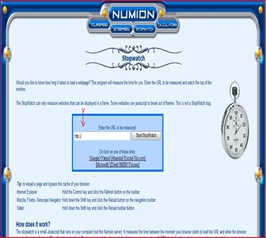
Just click here to check downloading of your blog/webpage with  TIMER . This will lead to a page where you just enter your website/blog/webpage address and click. Yourself can note down the time taken by site to get download fully. Now refresh again and note down the reloading time. Write the FIRST DOWNLOADING TIME ( in seconds) and RELOADING TIME (in seconds) separately in a paper. We will use this in next step.

SECOND STEP:formula

Now open the downloaded FREE CRAWL ANALYSIS FORMULA. As you can see here, it a simple excel based formula which you can download from here. It will tell you, whether you had to restructure your website or blog or not.

All that you had to do is  to enter the FIRST DOWNLOADING TIME ( in seconds) and RELOADING TIME (in seconds)  ( this you have noted in first step) in the space given in this excel sheet. You had to repeat the same in three different days. This will help to analyze in different downloading speeds. when you enter both data in the space provided and press enter, then in the last tab, it will show what you had to do with your webpage. As default, “ No Action Required” will appear in that space. If your webpage need any change, then it will show other wise “ No Action Required” will appear there.

How to Restructure your Webpage:

Consider these simple suggestions to restructure

1.  Avoid complex scripts in the webpage design.

2.  Use less advertisements slots.

3.  Reduce multiple frames in your blog

4. Using Basic Google Blogger templates in your blog is excellent for reducing downloading time. ( But Google Blogger templates not have Search Engine Optimized title tags in order to get higher rankings. So it is always advisable to change the title tags in the Google basic blogger templates. How to change the Title Tags in an ordinary Template to Search Engine Optimized title tags? Read this article and follow simple instructions)

5.  Avoid linking to Websites or Blogs that already block the crawling of Robots. Google Robots consider your webpage as a crawl blocking one , if your page already point towards a Robot blocking website.

6. Always reduce the total number of outgoing links from your page. Google Crawling is more successful in pages with less than 100 outgoing links. The total number of links include  the links from each advertisement slots also.

7. If all these efforts make no result, then consider changing your Template.

All the best.You may be interested to read :

Blog Widget by LinkWithin